
Agentic Instrument Control
Let AI run your bench.
Concept
You, your agent and your bench
You
Ask and supervise
- Describe the task in plain language
- Follow every step live
- Stop or take over at any time
AI agent
Plans the next step
- Claude Code, Codex, Cursor or a local model
- Evaluates each result
- Decides what to measure next
SweepMe! Pro
Instrument Control
- Knows your bench: instruments, drivers, ports
- Enforces the limits you set
- Records commands and values
Your bench
Real instruments
- SMUs, scopes, lock-ins and more
- 300+ ready-to-use drivers
- Ports stay open during the session
The agent loop
- Measure
- Evaluate
- Decide
- Measure again
Keep what worked
- Session
- Procedure
- Test flow
An agent at the bench, not a script generator
Ports stay open for the whole session. The agent sends commands and reads values back from the hardware on your bench.
Hypothesis, trial, error, retrial, until something works. No sequencer run written for every guess.
Commands and values are protocolled, so a run can be reviewed, handed over and repeated.
How it works
The agent talks to your bench over MCP, the Model Context Protocol.
SweepMe! is the host. It owns the drivers, the ports, the folders and the safety rules, and publishes a bounded surface of your bench to whatever AI is connected.
Made for bring-up and debugging, from ASICs to boards to any DUT, where the next step depends on the last measurement. The agent runs that loop. Control and the final interpretation stay with you.
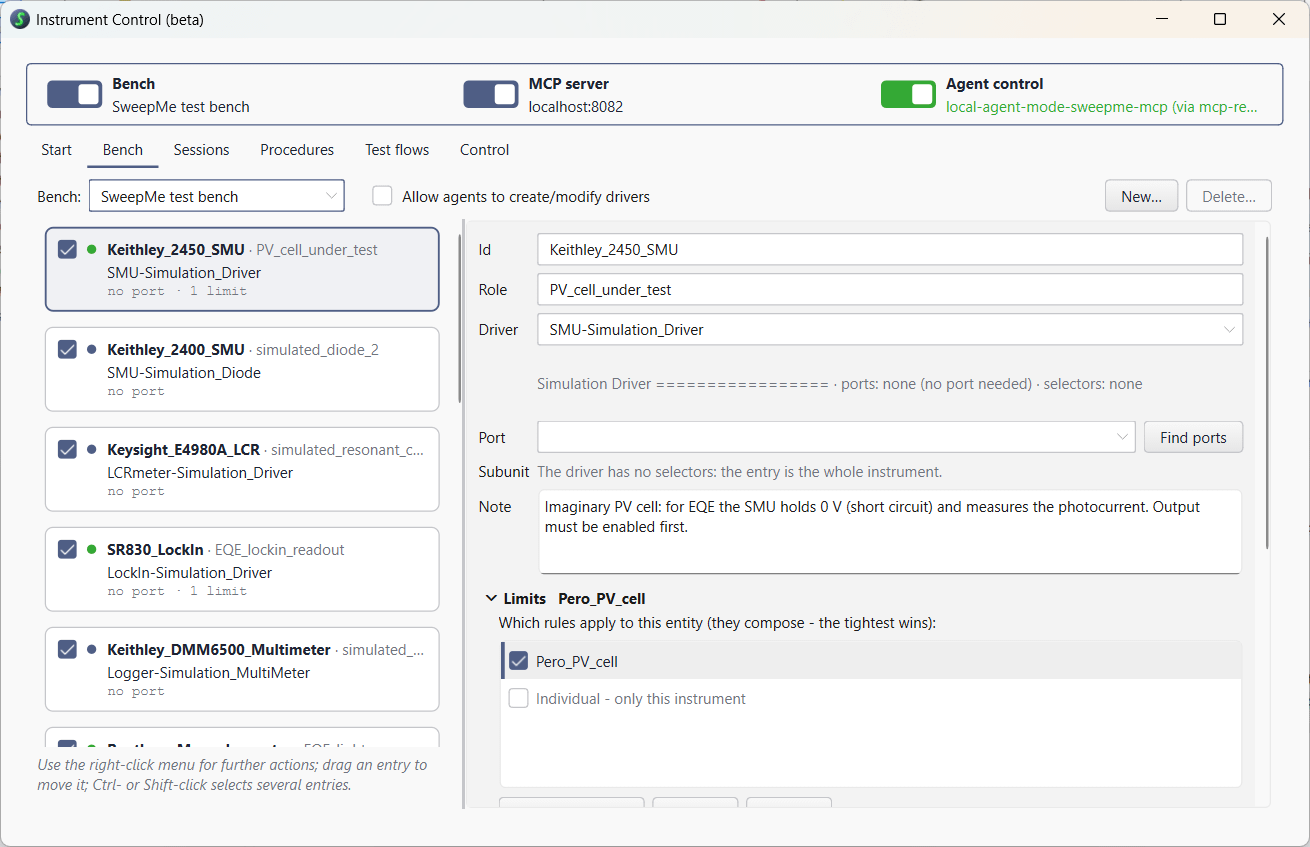
Limits and permitted actions live in SweepMe!, not in a prompt.
The feature builds on the SweepMe! driver library.
Explore command by command, then keep what worked as a setting.
From first prompt to repeatable test
- 01
Ask in plain language
Describe the measurement, or the fault you are chasing.
- 02
The agent measures
It runs your instruments within the limits set in SweepMe! and evaluates every result.
- 03
Take over any time
Switch between manual and AI control as you like, on the same instruments.
- 04
Define tests, re-run them
Keep what worked as a test and re-run it whenever needed.
Features
Key features
Operate instruments from different manufacturers in one place. Let an AI agent do it, or do it yourself.
See all your instruments and their data flows at a glance. Arrange tiles that each show a measured value and a live plot.
Decide what an instrument may do, for example a maximum voltage. The agent cannot go beyond it.
Send a recorded session to a colleague. They import it and see every command and result.
Keep what worked as a procedure: it measures, evaluates and says pass or fail. Run it again with one click, with or without an agent.
Combine procedures to automate an entire test stand. Every run is identical, and you can add steps for the operator, such as instructions and checks.
Get a PDF report of a session or of a test run, with results and plots.
Describe what you want to find out. The agent plans the measurement, runs it and analyzes the data.
Missing a driver or a command? The agent writes or fixes it, and you keep or undo every change.
Safety and Control
Agentic workflows with the human in control
Limits live in SweepMe!. AI agents cannot go beyond.
Session log commands and values. Review and repeat any run.
Follow the agent live. Stop it or take over at any time.
Turn what worked into procedures. They run the same every time.
Your choice of AI
Use any AI agent you like
Coding agents and assistants
Cloud models with strong tool use, for demanding tasks.
- Claude Code / Desktop AI models from Anthropic that run in the command line or in a desktop app.
- OpenAI Codex As command line tool, editor extension or in the ChatGPT desktop app.
- Cursor An AI code editor with access to several leading AI models.
- GitHub Copilot Inside the Visual Studio Code editor.
- Google Antigravity An agent app with a command line tool based on Gemini.
Chat apps approved by your IT
SweepMe! supports chat apps approved by your IT policy, even when large agents are not allowed.
- Msty Studio A desktop chat app. Enter the API key your organization gives you, or use local models.
- AnythingLLM A desktop or self-hosted app to chat with your own documents. Works with many providers and fully offline.
- LibreChat A chat app your organization hosts. Your IT sets up the providers and models once, for all users.
- LM Studio A desktop app that runs models on your own computer.
Setup instructions for each application are in our wiki: AI applications
Download and test one month for free.